Learn AI by building, not watching
Stop bending your life around someone else’s app.Build the one that fits.
You pick something you actually want — a meal planner, a meeting assistant, a trip companion. We give you the exact prompts and the steps in order. An afternoon later there is a working thing built around your week, rather than a certificate you file away.
No card. You choose which Build it is, and you get the whole thing rather than a taste of it.
- Made for non-coders
- 1–3 hours per Build
- Updated when tools change
Why build it yourself
Software used to be built for everybody. Now it can be built for you.
Every app you use was designed for the average of a million people, and you have quietly reshaped some part of your week to fit it. That was a fair trade when building your own meant hiring somebody. It stopped being one about eighteen months ago.
None of these Builds are big software. They are the small, specific, slightly awkward things that no company would ever ship — because the market for them is one household, and that household is yours.
- Built for the average of a million people
- Built for how your week actually runs
- Fourteen features you will never open
- The three you asked for, and nothing else
- A subscription you keep paying forever
- An afternoon, once
- Changes the week they decide to change it
- Changes the evening you decide to change it
- Your data on somebody else’s terms
- In your own account, on tools you already have
How it works
Pick one. Follow it. Use the thing you made.
No lectures to sit through and nothing to keep up with. A Build is a set of instructions somebody has already run to the end.
Pick a Build
Every Build leads with what you walk away with, so you know before you start whether you want it. Sort by what you have time for tonight.
Follow the steps
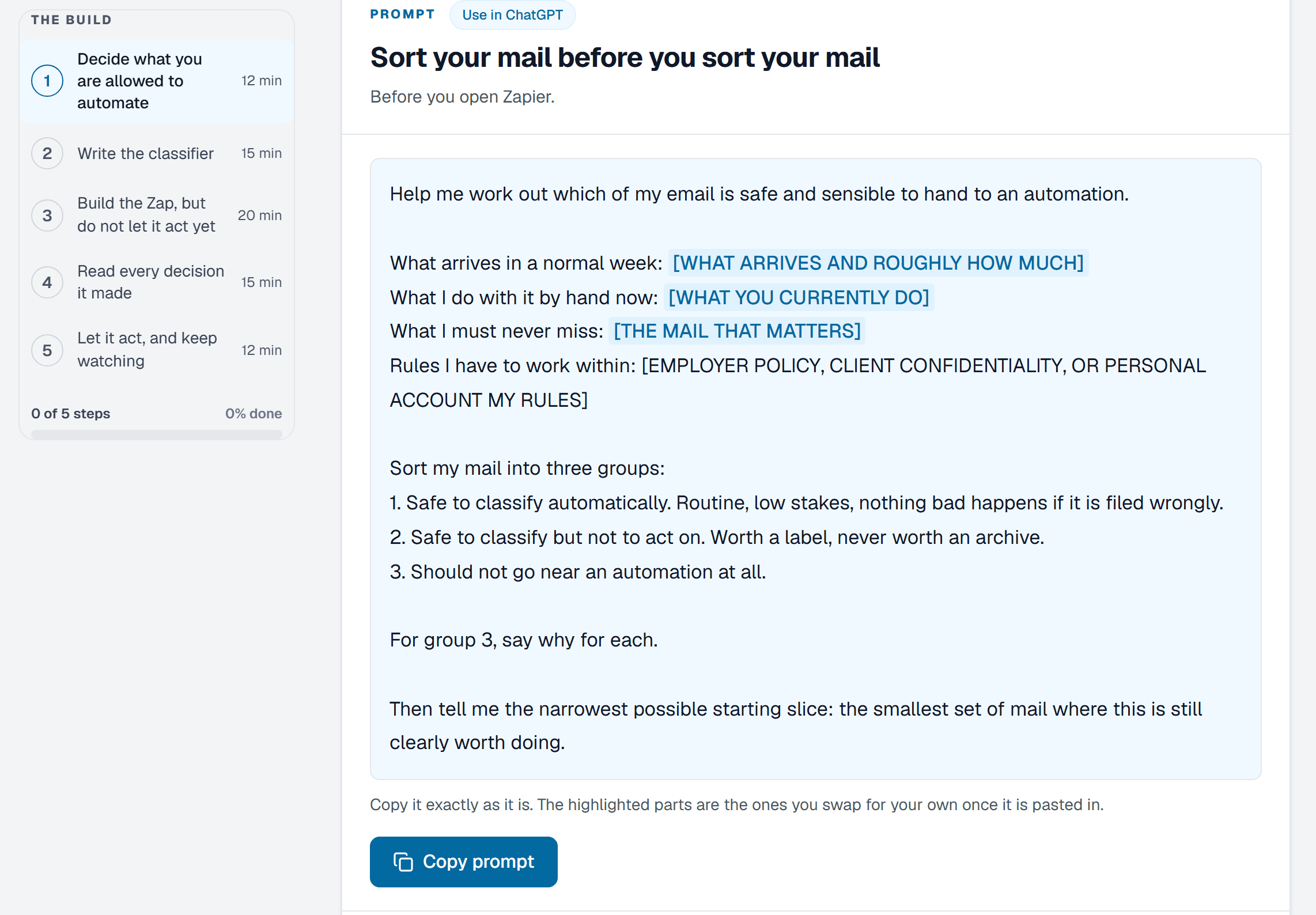
Copy the prompt, paste it where we say, and check what came back against what we told you to expect. When a step goes sideways there is a note about that too, written by somebody it went sideways for.
Keep using it
What you made lives in your own account on whichever tool you used. We are the instructions, not the landlord, and nothing you build stops working if you leave.
What every Build includes
The same six things, every time.
A Build is not an article about a topic. It is a set of instructions that has been run start to finish by somebody who wrote down where it got awkward.
- What you end up with, written down before you start
- Every prompt in full, with a button that copies it
- The steps in order, and a checkpoint after each one so you know it worked
- What to do when a step misbehaves, because sometimes it will
- Which tools it needs, what they cost, and whether the free plan is enough
- Your place kept as you go, so you can put it down and come back
Where Builds come from
Six corners of an ordinary week.
The library is organised by the part of life a Build is for, not by which model it happens to use.
Home
A meal plan and a shopping list your household will actually follow.
Work
Meeting notes that turn themselves into who owes what by when.
Family and friends
A trip companion that knows who is coming and what they can eat.
Small business
Answers to the same customer question, written once and reused.
Creative
A set of images that look like they belong to each other.
Personal productivity
A plan for the thing you keep putting off, broken small enough to start.
Free, and free for good
Your first Build is free. You pick which.
Almost nobody pays for something like this before trying one, so the free Build has to be worth doing on its own. Take anything off the shelf, follow it to the end, and if you never pay us anything you still have a working tool and a much better idea of what these models are good for.
- Your pick of the library, not a shortlist somebody else chose for you
- The whole Build: every prompt, the steps in order, the walkthrough, the templates and files
- The same version members get, not a preview with the good parts taken out
- One Build, and you say which. The rest stay readable, but their steps stay shut
- An account with an email address. No card, no trial that quietly starts charging
- Yours to keep and redo whenever, whether or not you ever pay us anything
Membership
One new Build a week, and the whole shelf behind it.
One tier, one promise. Every week there is something new worth an evening, and everything published before it is already open.
- A new Build is published
- Weekly
- What one takes, start to finish
- 1–3 hours
- The library, open from day one
- All of it
- A new Build published every week
- The whole library, open from the day you join
- Prompts, ordered steps, videos, templates and the files where a Build needs them
- Progress kept on everything, and a shelf of the ones you have finished
- Builds you have already done get updated when a tool changes underneath them
What it costs
Two ways to pay for the same thing.
Monthly
$29a month
Stop any month, from your billing page.
Annual
$290a year
Works out at $24.17 a month.
Your first Build is free either way.
Before you sign up
The things people ask first.
Do I need to know how to code?
What do I actually end up with?
Which AI tools do I need to pay for?
How long does one Build take?
Is the free Build actually free?
Can I change which Build I picked?
Do you host what I build?
What happens when a tool changes its buttons around?
Can I cancel?
Free · no card
Pick one thing worth an afternoon.
The whole shelf is there to read. Take the Build that sounds most useful and see how far you get before dinner.